
Home » Download
Download 54BD App for Fast Mobile Access and Trusted Login
Get the official 54BD app with fast install and mobile-first performance today
Stay close to live cricket, JILI slots, and support on your phone. Built for quick taps and low data use, the app loads fast on busy networks. Start your 54BD app download with the steps below and enjoy secure access wherever you go.
All key actions are optimised for one-hand use: quick login, safer verification, and clear menus. For official links and real-time help, save the site from 54BD Online and avoid third-party stores.

Why the 54BD app fits local mobile habits and daily sports play
The app focuses on speed, trust, and simple flows. You get quicker entry to markets, secure account control, and responsive support made for mobile screens.
Fast entry that saves data on 4G and shared Wi‑Fi
Light pages and smart caching help cut waiting and data cost. Odds and games load quickly, even during peak match time.
Cricket-first experience with JILI slots one tap away
Track live 54BD cricket odds, favourites, and score updates. Switch to popular JILI slots instantly when the innings break hits.
Reliable login with PIN or biometrics
Protect your profile with device lock, fingerprint, or a quick PIN for faster 54BD login. Auto-timeout guards your account if you step away.
Verified account for smoother payouts and support
Complete KYC after 54BD Register. Keep your profile name matching your payment account name to help speed up approvals and withdrawals.
Clear in-app support and status tracking
Chat with agents, check ticket history, and view bet or bonus status without switching tabs. See actions queue in real time during busy match days.
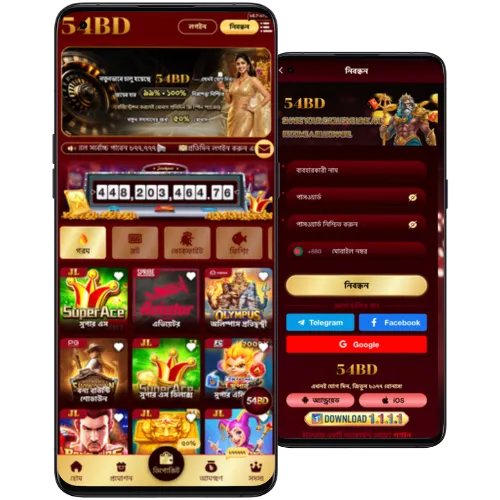
Step-by-step guide to download, install, and sign in on your phone
- Open your mobile browser and go to the 54BD official site.
- Find the App page and choose Android or iPhone.
- Android: Tap Download to get the latest 54BD apk to your device.
- Android: When prompted, allow install from your browser source in Settings.
- Android: Open the downloaded file, tap Install, and wait for completion.
- iPhone: Tap Open in Safari, then use Share and Add to Home Screen for the web app.
- Launch the app icon, read the quick tips, and allow notifications for match alerts.
- Sign in with your 54BD login or create a new account in minutes.
- Set a 4‑digit PIN or enable Face/Touch ID for faster future access.
- Check Updates in the app menu to stay on the latest build.
Quick access on Android and iPhone with tap-to-install action buttons
[Get for Android — Download APK] Best for direct installs and fast updates on most devices. Enjoy full features on the 54BD mobile app.
[Open on iPhone — Add to Home Screen] Launch in Safari, tap Share, and Add to Home Screen for app-like performance and notifications.
Mobile features designed for speed, easy login, and real-time sports alerts
- One-tap PIN or biometrics for quick, secure sign-in.
- Cricket shortcuts: jump to live markets, overs, and player specials fast.
- Instant JILI slots access with smooth game switching.
- Smart notifications for match start, odds moves, and results.
- Data saver mode trims images and preloads key screens.
- Clean menus with thumb-friendly buttons and bigger tap targets.
- In-app help center with chat and guided articles.
- Update checker to keep features current with minimal storage.
Exclusive in-app bonuses, smart reload offers, and timely campaign notifications
Get early alerts for app-only deals, reload boosts, and match-day campaigns. Turn on notifications to never miss a time-limited offer or coupon.
Track your 54BD bonus progress in the wallet and review terms before opting in. Check wagering, expiry, and eligible games so you can plan around big cricket fixtures and JILI sessions.
Look for seasonal deals inside the promo hub and verify details through 54BD Promotions to ensure you are viewing the latest active offers.
Safe install practices, permissions to review, and trusted update behavior
Only install from the 54BD official site. Avoid mirrors and third-party stores. Check the download prompt shows the correct publisher and version before proceeding.
On Android, review permissions during install and keep Unknown Sources limited to your browser only. After installation, return settings to default for extra safety.
Keep the app updated. New builds improve security, speed, and match notifications. Use the in-app Update option or re-download the latest package when prompted.
Protect your account: enable biometrics, never share OTPs, and confirm the URL before entering credentials. Keep your profile name matching your payment account name to help prevent delays.
Frequently asked questions about downloading, installing, and updating the 54BD app
Is the Android app available as an APK?
Yes. Download the latest 54BD apk from the official App page, install it, and keep updates enabled inside the app.
How do I install the app on iPhone?
Open the App page in Safari, tap Share, then Add to Home Screen. You will get an app icon with full-screen launch and notifications.
Why is my phone blocking the APK install?
Android may require permission to install from your browser source. Grant it temporarily in Settings, complete the install, then restore your default setting.
Can I log in and register directly inside the app?
Yes. Use your 54BD login to sign in, or create a new account from the app with quick verification steps.
How do I update to the newest version?
Open the app menu and select Updates, or revisit the App page on the site to download the current build. Install over the existing version.
Ready for faster access? Install now and start on mobile in minutes
Move quicker on match days with a light app, secure login, and instant markets. Start your 54BD app download now to keep live cricket and JILI close at hand.
Tap the Android or iPhone option above, follow the short steps, and sign in. Set your PIN, enable alerts, and you are set for confident play on the go.